
About STELLAR GUARDIAN
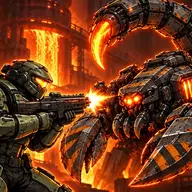
STELLAR GUARDIAN puts you in command of a ship during a 2D arcade battle for the galaxy. Its action centers on controlling your position, firing at threats, and choosing the right ability when the battlefield becomes demanding.
The game combines fast shooting with several ways to influence a fight. A shield can provide protection, slow motion can change the pace, and a special attack or precision mode offers other tactical options. Missions and game modes give the cosmic defense campaign different objectives, while upgrades let your ship become more capable as you play.
How to Play STELLAR GUARDIAN
Use the Left and Right Arrow keys, or A and D, to shift your ship across the screen during a battle.
Press Spacebar or click to fire, then use E when you need to activate the shield.
F triggers slow motion, C launches the special attack, and Shift activates precision mode.
Play through the available missions and game modes while using upgrades to support your ship's defense of the galaxy.
On PC, use full-screen display to address the lag noted in the game instructions; other devices are described as running smoothly.
Tips & Tricks
- 1Keep the firing input ready while using horizontal movement to place your ship where it can respond to incoming action.
- 2Save the shield for moments when protection matters, and consider slow motion when controlling the pace is more useful than another attack.
- 3Precision mode, the special attack, and upgrades each serve a different purpose, so choose the option that matches the situation instead of activating everything together.
Game Info
- Category
- Shooting
- Platform
- Web browser
- Price
- Free
- Added
- Oct 27, 2026
- #2D
- #Arcade
Something wrong with this game or its description?