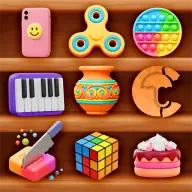

About Woodturning Studio
Woodturning Studio lets you shape a sample piece of wood into a personal design. Swipe across the wood while choosing from different carving knives, then refine the result with color, polishing, and matting tools.
The appeal comes from building an artwork through several hands-on stages. There are unlimited combinations of carving tools, and the finished creation can be saved as an image to a phone or tablet gallery.
How to Play Woodturning Studio
Play with the mouse, using it to swipe across the sample wood.
Use different carving knives to remove or shape parts of the wood and create a form.
After carving, apply colors and use the polishing or matting tools to change the finish.
Review the completed wood artwork and save it as an image when you are satisfied.
Tips & Tricks
- 1Make controlled mouse swipes when carving so the shape develops in the direction you intend.
- 2Try changing the finish after the main form is ready, since color, polish, and matte treatment can give the same carving a different look.
- 3Save the artwork after completing a design you like, rather than waiting until you change it again.
Game Info
- #Casual
- #Hypercasual
- #Relaxation
- #Skill
Something wrong with this game or its description?