
About Slope City 2
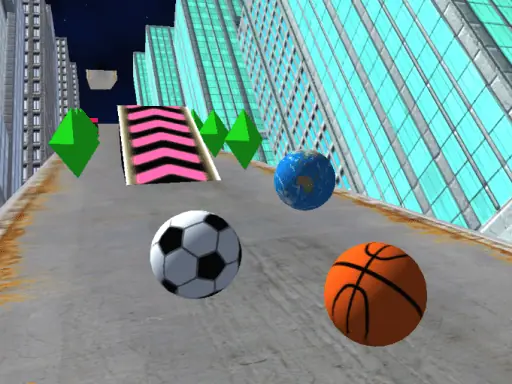
Slope City 2 sends a bouncing ball through a redesigned 3D city map. Steering is the main challenge as you guide the ball through an obstacle-filled route without losing control. Its simple movement makes each run easy to understand while the changing path keeps your attention on positioning.
Diamonds collected around the city are used to purchase special abilities, and the Shop lets you buy balls with different designs. That combination gives the run a clear purpose beyond simply staying on the course, while the ball movement remains focused on left and right control.
How to Play Slope City 2
On a computer, press A or D, or use the left and right arrow keys, to steer.
On a mobile device, swipe your finger left or right to guide the ball.
Keep the ball on the route and avoid the obstacles placed along the city map.
Collect diamonds during the run so they can be used for special abilities.
Visit the Shop when you want to buy a different ball design.
Tips & Tricks
- 1Use small steering inputs when the ball is already near the middle of the route.
- 2Aim for diamonds only when doing so does not send the ball toward an obstacle.
- 3Choose a ball design in the Shop for appearance, and save collected diamonds for abilities when useful.
Game Info
- #3D
- #Avoid
- #Ball
- #Bounce
- #Classic
- #Collection
- #Hypercasual
- #Kids
- #Mobile
- #Obstacle
- #Platform
- #Skill
- #Slicing
Something wrong with this game or its description?