About Neo Traffic Rider Championship
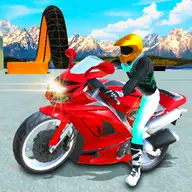
Neo Traffic Rider Championship puts you on a sportbike for a championship built around fast overtakes and changing road scenery. Race seven rivals through coastal routes, hills, urban expressways, and snowy mountain roads while competing in 18 events. Rider Trials add another way to test your riding, and engine and tyre upgrades help shape the bike for the road ahead.
The traffic becomes more crowded as you ride, making each passing decision important. Slipstream behind another vehicle to gather speed for a slingshot, then spend your boost when an opening appears. Unlimited Run lets you choose a track and pursue a personal distance record, while rotating contracts give traffic rides an extra objective.
How to Play Neo Traffic Rider Championship
Use A and D or the left and right arrow keys to guide the bike through traffic.
Press W or the up arrow to accelerate when Auto Throttle is disabled, and use S or the down arrow to brake.
Hit Space or Shift to activate boost. Press Esc or P to pause or resume the ride.
Choose championship events, Rider Trials, or Unlimited Run, then complete contracts and replenish boost during traffic runs.
Tips & Tricks
- 1Follow a rival or vehicle briefly to build slipstream before moving out for a faster pass.
- 2Save boost for a clear stretch rather than spending it beside dense traffic, where a blocked route can waste the advantage.
- 3When roads become busier, make smaller steering corrections and use the brake early so your passing line stays controlled.
Game Info
- Category
- Racing
- Platform
- Web browser
- Price
- Free
- Added
- Oct 24, 2026
- #1 Player
- #Adventure
- #Bike
- #Moto
- #Traffic
- #wheel
Something wrong with this game or its description?