About Flappy Happy Arcade
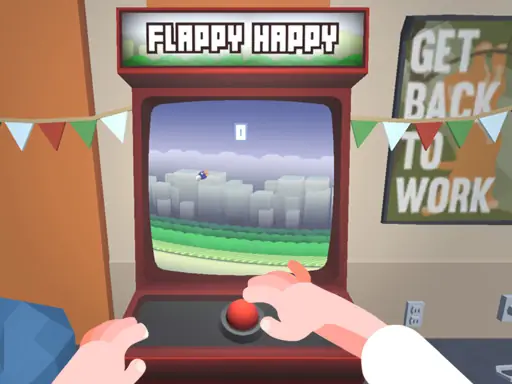
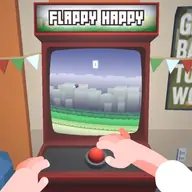
Flappy Happy Arcade places a playful bird game inside a cartoon-style office arcade setting. Instead of opening the game in an ordinary menu, you approach an arcade machine and use its controls to begin playing, giving the browser session a more physical feel.
The surrounding office can also be viewed while you are there, so the experience combines a simple arcade activity with a small 3D environment to explore. Its casual presentation and funny party setting make the machine itself part of the game, while the central focus remains the Flappy Happy screen.
How to Play Flappy Happy Arcade
Use the mouse to interact with the arcade machine in the office.
Press the machine control or tap the game display to start playing.
To inspect the office surroundings, hold the right mouse button and drag, or use a swipe gesture.
Keep your attention on the machine screen once the game begins and use the available machine input for play.
Tips & Tricks
- 1Try the machine control as well as the screen input so you can use whichever feels more comfortable.
- 2When you want to inspect the setting, use the right-button drag or swipe before returning your attention to the game.
- 3Treat the arcade cabinet as your main control point, and check that your pointer or finger is positioned over its play area before starting.
Game Info
- #3D
- #Android
- #Arcade
- #Bird
- #Cartoon
- #Casual
- #Cool
- #Fantasy
- #Fun
- #Funny
- #HTML5
- #Hypercasual
- #jump
- #Jumping
- #Kids
- #Mobile
- #WebGL
Something wrong with this game or its description?