
About Drag n Drop: Word Match
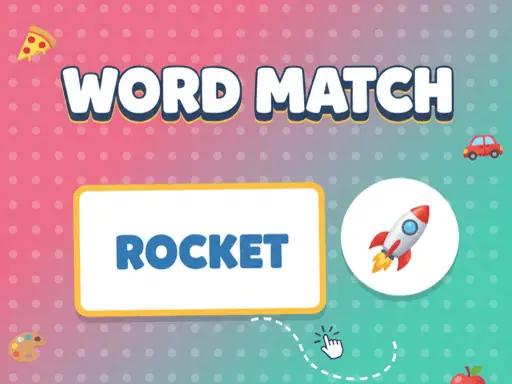
Drag n Drop: Word Match pairs English word cards with the emojis they describe. The puzzle is designed as a simple learning activity, using familiar objects and a direct matching task rather than complicated rules. Correctly connecting a word to its corresponding picture is the whole challenge.
The controls work on both touchscreens and computers, so the same matching idea fits mobile tablets and desktop play. Holding a word, moving it to the right emoji, and releasing it gives the game a clear hands-on rhythm that helps connect written words with visual meaning.
How to Play Drag n Drop: Word Match
On a touchscreen, press and hold a word card with your finger.
Drag the held word across the screen to the emoji that represents it.
Release the word over the matching emoji target to make the pair.
On a computer, click and hold the word with the left mouse button.
Move the cursor to the correct emoji, then release the button to match the word.
Tips & Tricks
- 1Read the entire word before dragging so you can compare it with the available emojis.
- 2Keep holding the card while moving it, especially on a touchscreen, until it reaches the intended target.
- 3If several pictures seem possible, choose the emoji that most directly represents the word rather than a related object.
Game Info
- Category
- Puzzle
- Platform
- Web browser
- Price
- Free
- Added
- Oct 26, 2026
- #Casual
- #Kids
- #Puzzle
Something wrong with this game or its description?