
About Classic Tertis
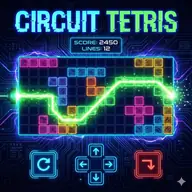
Classic Tertis places the familiar tile-matching puzzle in your browser, preserving the central idea of arranging pieces as they fall. The goal is to use the available shapes efficiently and create completed lines, making each placement a small decision about space and timing.
Its classic presentation suits both keyboard play and touch controls, so you can use arrow keys or the on-screen controls on any supported device. The appeal comes from fitting pieces together cleanly: a good arrangement keeps the board manageable, while careless placement leaves less room for future tiles.
How to Play Classic Tertis
Use the keyboard arrow keys or the touch controls to move the pieces.
Position each falling tile so it joins the existing arrangement effectively.
Build complete lines with the tiles and keep the board arranged as play continues.
Switch between keyboard and touch input according to the device you are using.
Tips & Tricks
- 1Leave open areas that can accept different tile shapes instead of closing the board too quickly.
- 2Use small adjustments before settling a piece into its final position.
- 3Think about how each placement changes the room available for the next tile.
Game Info
- #2D
- #Brain
- #Casual
- #Classic
Something wrong with this game or its description?